Afrikaans
 العربية
 български
 বাংলা
বাংলা
 Čeština
 Dansk
Dansk
 Deutsch
 Ελληνικά
 English (US)
 Español
 فارسی
فارسی
 Suomi
Suomi
 Français
 עִבְרִית
 हिन्दी
 Bahasa Indonesia
 Italiano
 日本語
日本語
 한국어
한국어
 Latviešu valoda
 Bahasa Melayu
 Nederlands
 Norsk Bokmål
 Polski
 Português
 Русский
 Kiswahili
 Svenska
 ไทย
ไทย
 Türkçe
 Українська
 Tiếng Việt
 简体中文
简体中文
 繁體中文
繁體中文
Overview
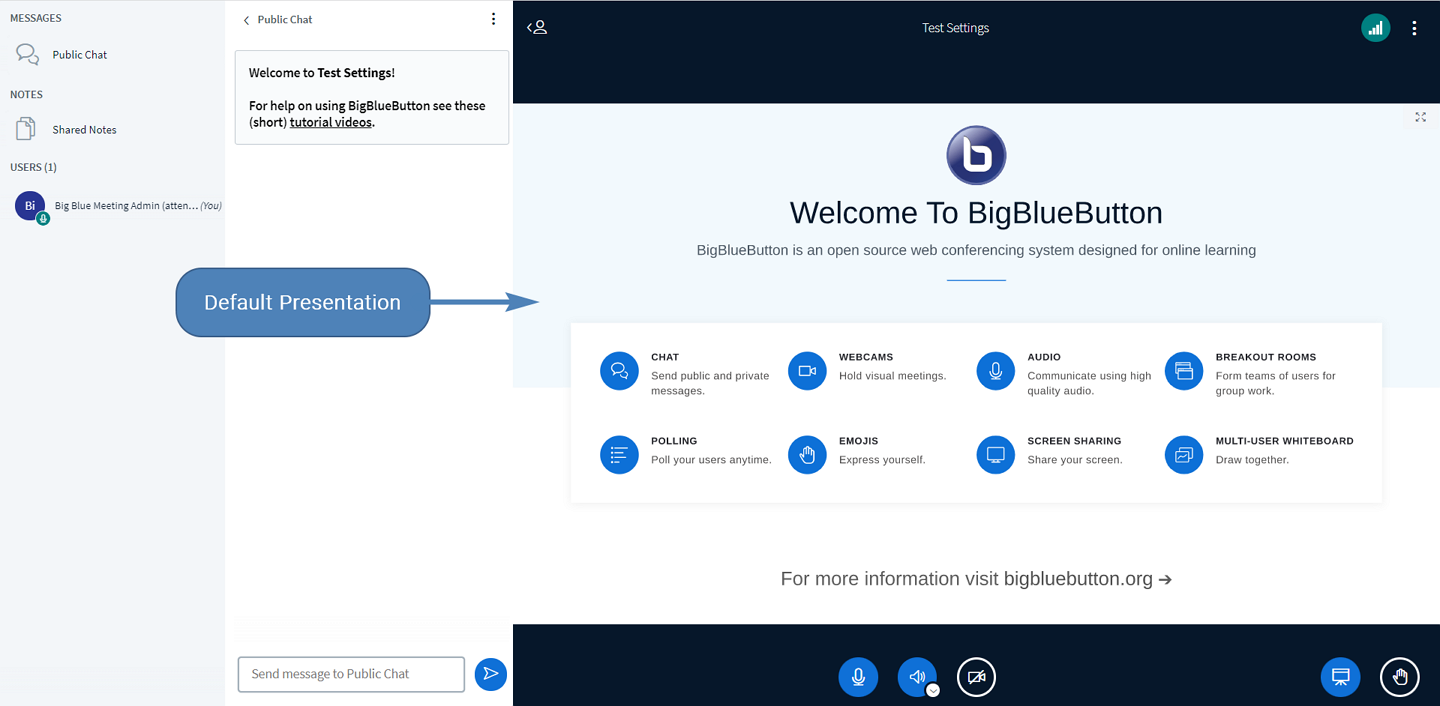
The default presentation is automatically loaded when a BigBlueButton meeting starts and represents an important part of the user experience and branding. Many organizations choose to replace the default presentation with a custom PDF or PowerPoint presentation to provide users with a more personalized environment.
Replacing the default presentation is a simple process that only requires uploading a new presentation file.
Bare BigBlueButton Server
If you are running a standalone BigBlueButton server, you can replace the default presentation by updating the server configuration and uploading a custom presentation file.
Modify the Configuration File
Edit the following configuration file:
/etc/bigbluebutton/bbb-web.properties
Add the following configuration entry:
beans.presentationService.defaultUploadedPresentation=${bigbluebutton.web.serverURL}/default-2.pdf
Upload Your Presentation
Upload your presentation file named default-2.pdf to the following directory:
/var/www/bigbluebutton-default/assets
After uploading the file, restart the required BigBlueButton services if necessary and verify that new meetings load the updated presentation.
Big Blue Manager
If you are using Big Blue Manager hosting, you can update the default presentation directly from the management interface without accessing the server.
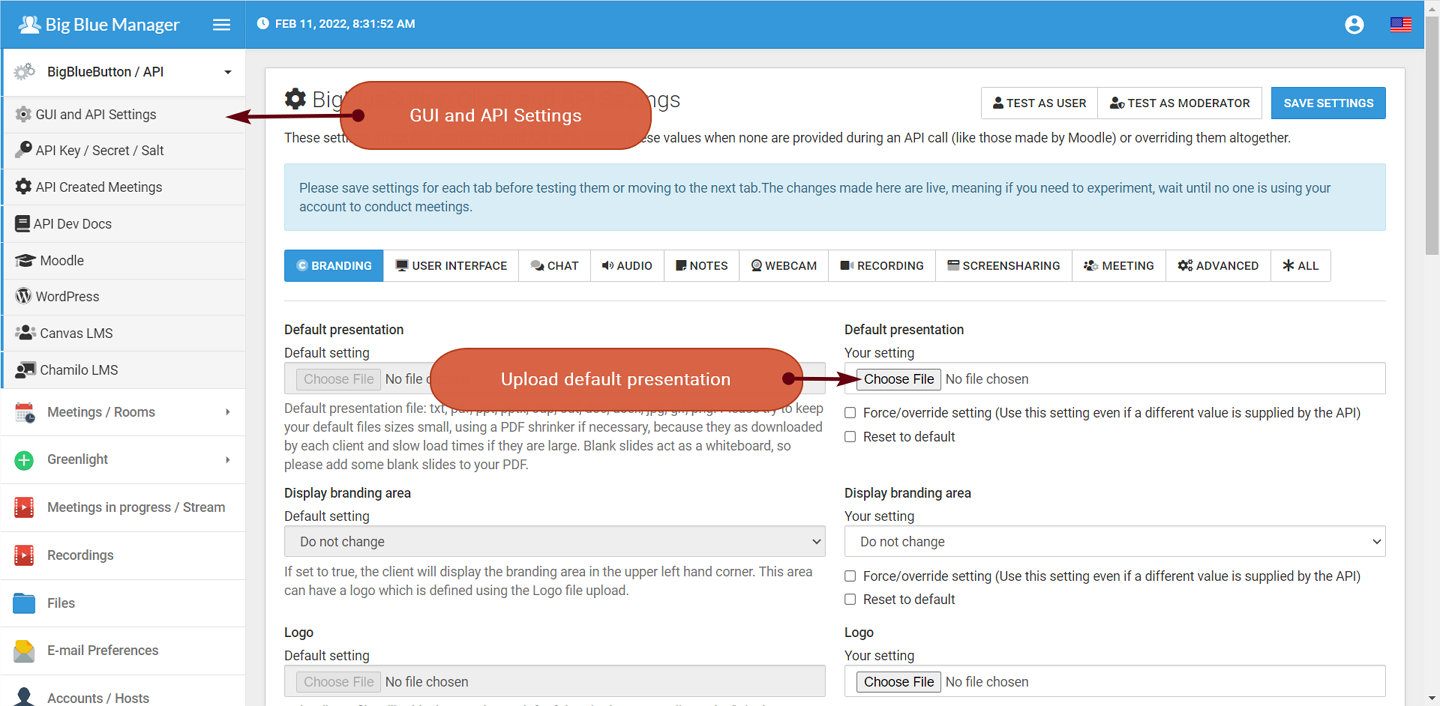
Changing the Default Presentation
- Log in to your Big Blue Manager account.
- From the left-hand menu, click BigBlueButton / API.
- Select GUI and API Settings.
- Choose the presentation file you want to use as the default presentation.
- A PDF file is recommended, preferably with several blank pages at the end that can be used as a whiteboard during meetings.
- Click SAVE SETTINGS to upload and apply the new presentation.
- Use TEST AS USER or TEST AS MODERATOR to verify that the new presentation loads correctly.