 Afrikaans
 العربية
 български
 বাংলা
বাংলা
 Čeština
 Dansk
Dansk
 Deutsch
 Ελληνικά
 English (US)
 Español
 فارسی
فارسی
 Suomi
Suomi
 Français
 עִבְרִית
 हिन्दी
 Bahasa Indonesia
 Italiano
 日本語
日本語
 한국어
한국어
 Latviešu valoda
 Bahasa Melayu
 Nederlands
 Norsk Bokmål
 Polski
 Português
 Русский
 Kiswahili
 Svenska
 ไทย
ไทย
 Türkçe
 Українська
 Tiếng Việt
 简体中文
简体中文
 繁體中文
繁體中文
Server Rooms
The Server Rooms section allows administrators to view and manage all Greenlight rooms that have been created on the server.
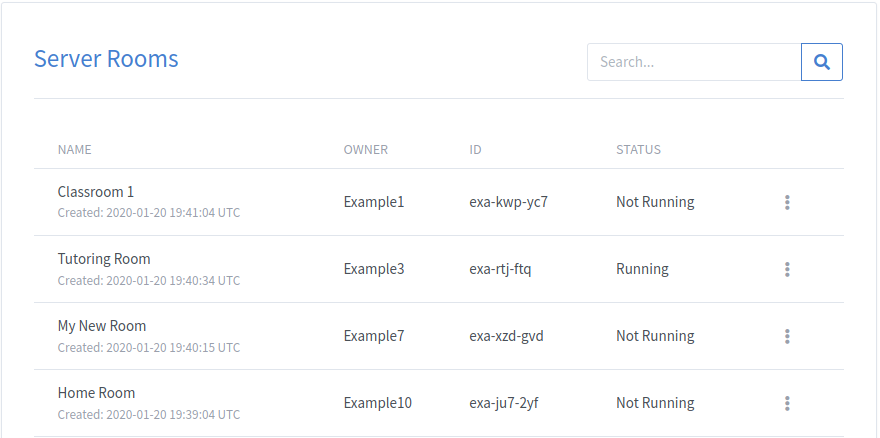
Room Options
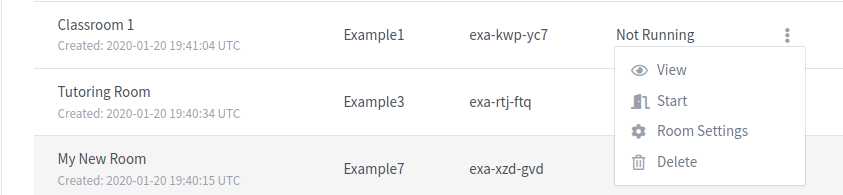
Administrators have several management options available for each room. These options can be accessed through the room actions dropdown menu.
| Option | Description |
|---|---|
| View | Join the room in the same manner as any other participant. |
| Start | Start and join the room even when the meeting is not currently running. |
| Room Settings | Modify the room configuration and settings. |
| Delete | Remove an unwanted room from the system. Home Rooms cannot be deleted. |
Searching Rooms
The search field can be used to locate rooms by:
- Room name
- Room owner
- Room ID
Sorting Rooms
Rooms can be sorted using the table headers.
Available sorting options include:
- Name
- Owner
- Room ID
Clicking a column header cycles between ascending, descending, and unsorted views.