Afrikaans
 العربية
 български
 বাংলা
বাংলা
 Čeština
 Dansk
Dansk
 Deutsch
 Ελληνικά
 English (US)
 Español
 فارسی
فارسی
 Suomi
Suomi
 Français
 עִבְרִית
 हिन्दी
 Bahasa Indonesia
 Italiano
 日本語
日本語
 한국어
한국어
 Latviešu valoda
 Bahasa Melayu
 Nederlands
 Norsk Bokmål
 Polski
 Português
 Русский
 Kiswahili
 Svenska
 ไทย
ไทย
 Türkçe
 Українська
 Tiếng Việt
 简体中文
简体中文
 繁體中文
繁體中文
Big Blue Meeting allows you to convert and download any
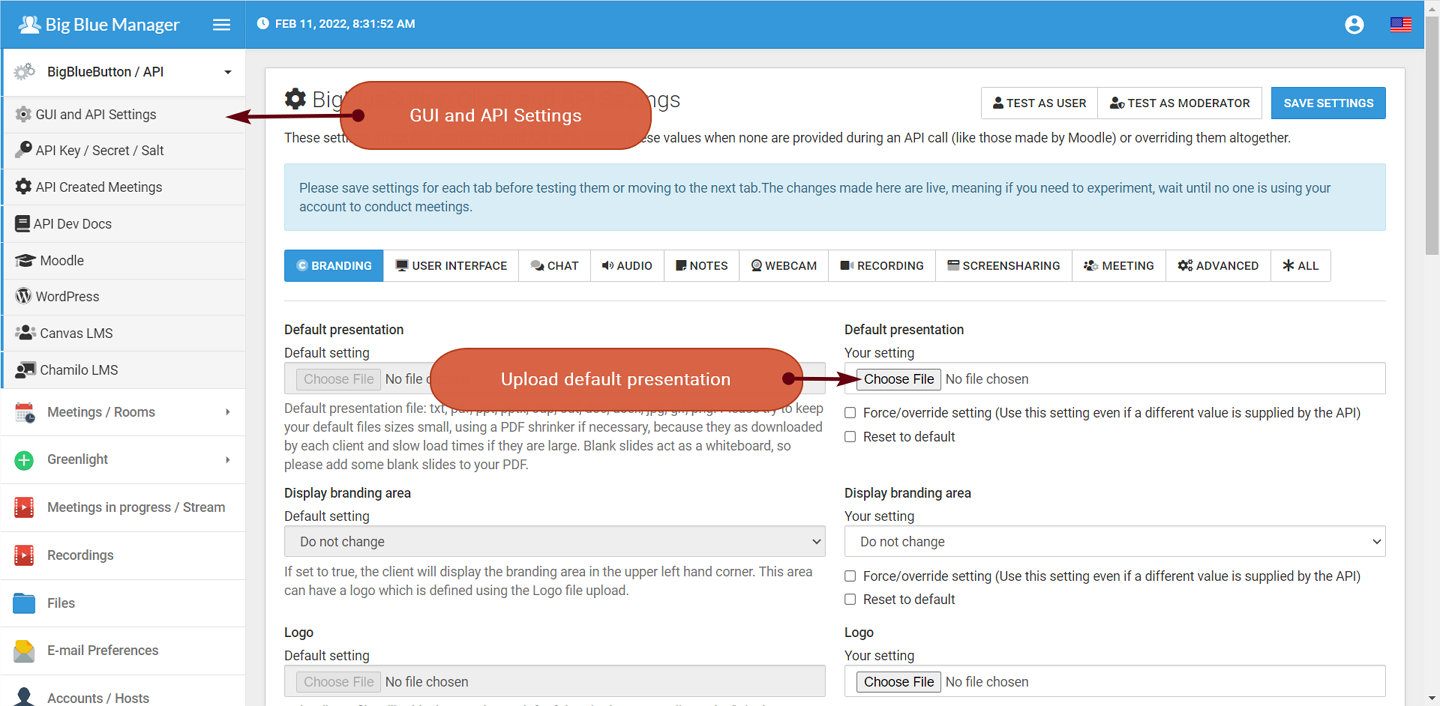
First login to any account in Big Blue Manager.
On the left-hand menu, click BigBlueButton / API.
Then click GUI and API Settings.
Finally choose a file to upload, it should ideally be a PDF with blank pages left at the end that act as a whiteboard.
Upload the file by pressing SAVE SETTINGS on the top-right or the bottom of the page.
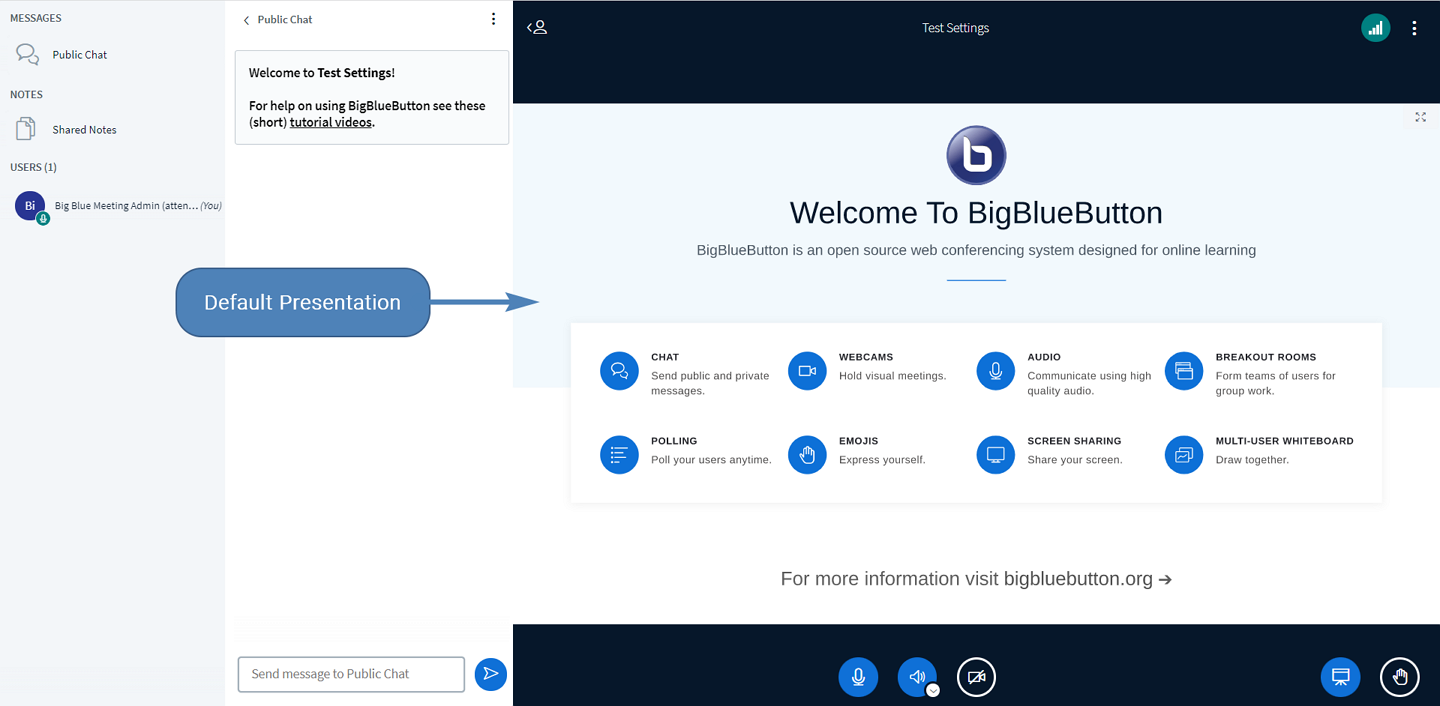
You can then click the TEST AS USER or TEST AS MODERATOR button to see the result in BigBlueButton.