 Afrikaans
 العربية
 български
 বাংলা
বাংলা
 Čeština
 Dansk
Dansk
 Deutsch
 Ελληνικά
 English (US)
 Español
 فارسی
فارسی
 Suomi
Suomi
 Français
 עִבְרִית
 हिन्दी
 Bahasa Indonesia
 Italiano
 日本語
日本語
 한국어
한국어
 Latviešu valoda
 Bahasa Melayu
 Nederlands
 Norsk Bokmål
 Polski
 Português
 Русский
 Kiswahili
 Svenska
 ไทย
ไทย
 Türkçe
 Українська
 Tiếng Việt
 简体中文
简体中文
 繁體中文
繁體中文
Overview
The Greenlight Administrator Panel provides administrators with tools to manage users, recordings, site settings, room configuration, and user roles.
Administrators can customize the user experience, control registration methods, configure room behavior, and manage permissions across the entire Greenlight installation.
Big Blue Meeting includes hosted Greenlight for all customers, including installation and configuration through the manager control panel.
You can create a free trial account and install Greenlight on either our shared domain or your own custom domain within minutes.
Accessing the Administrator Panel
When logged in with an administrator account, an additional Organization option becomes available in the account menu.
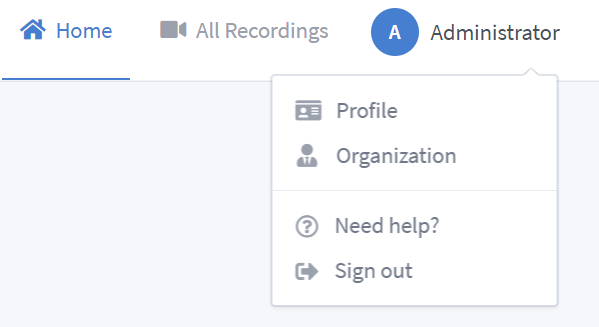
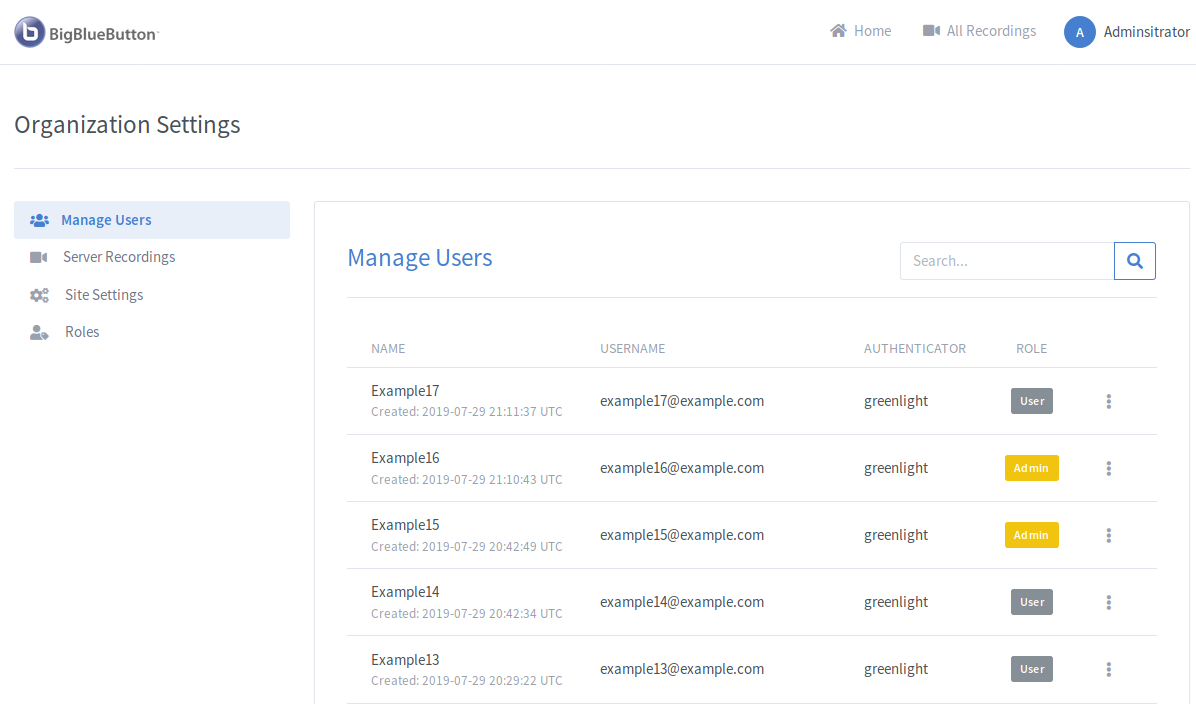
Clicking this option opens the Administrator Panel where all management functions are available.
Server Recordings
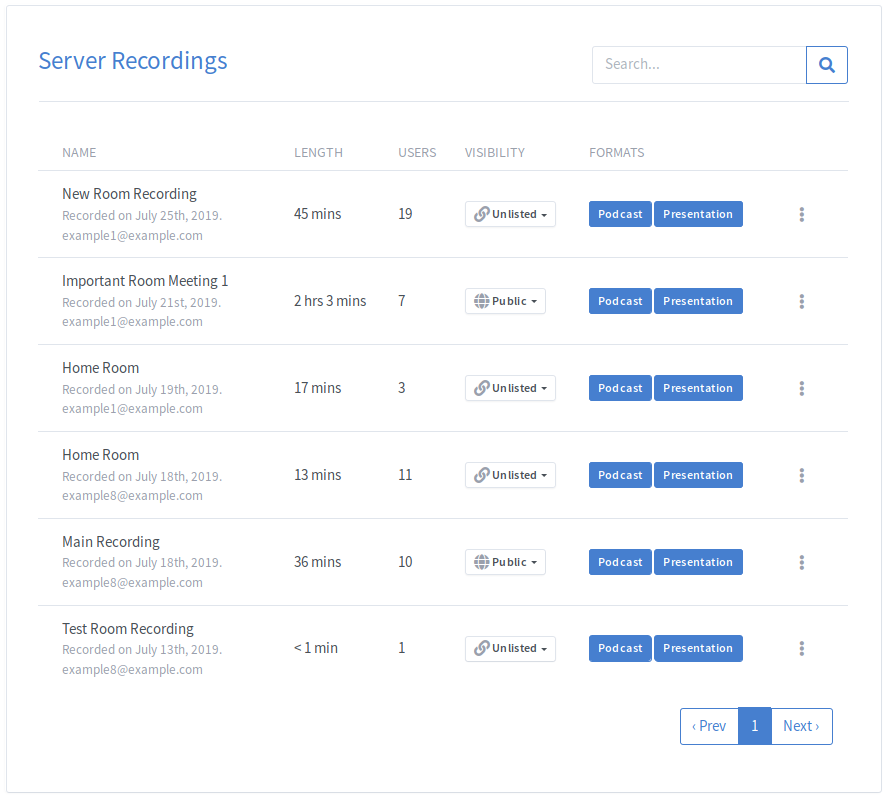
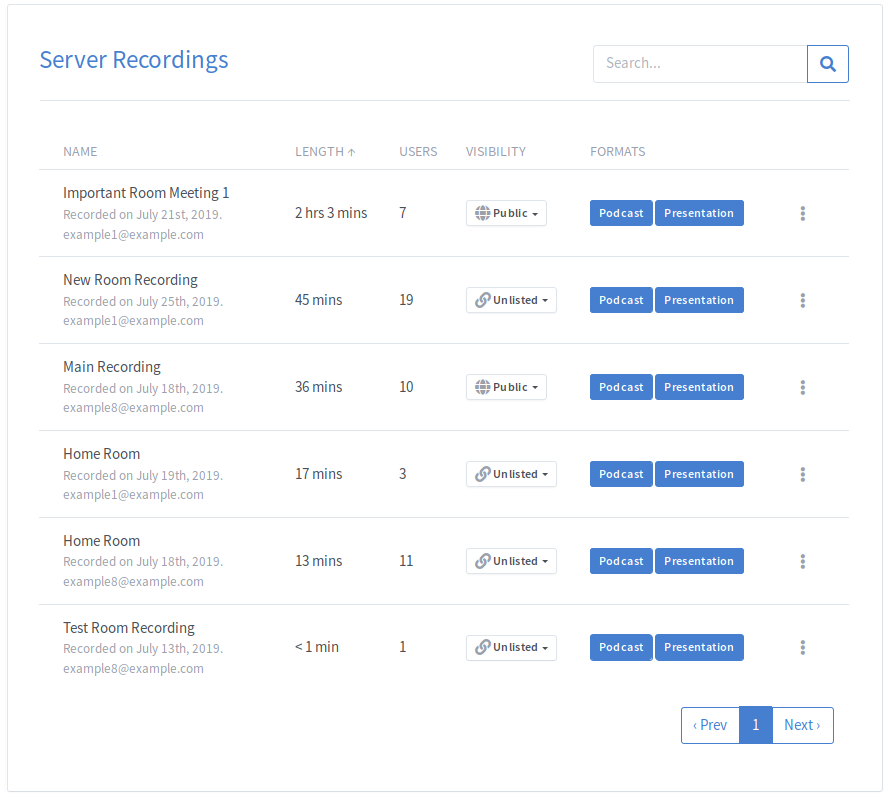
The Server Recordings section allows administrators to view recordings from all rooms across the BigBlueButton server.
Due to limitations within the BigBlueButton API, installations with very large numbers of rooms or recordings may experience timeouts when loading this page.
Searching Recordings
The search field can filter recordings by:
- Name
- Recording length
- Number of users
- Recording owner
- Visibility
- Recording format
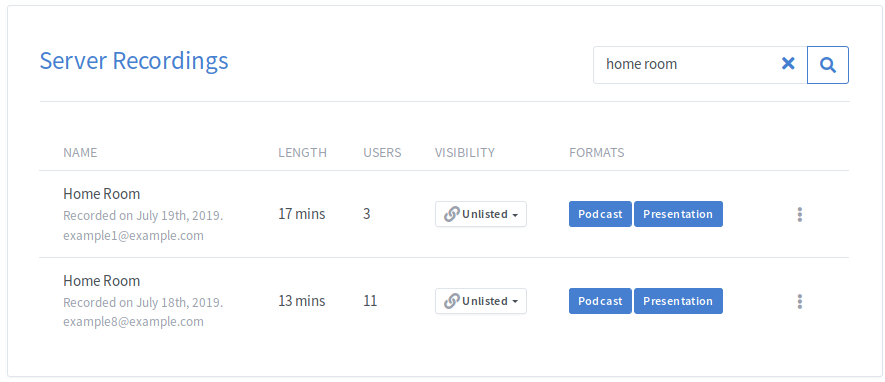
Sorting Recordings
Running rooms are displayed first. When no rooms are active, recordings are sorted by creation date.
You can also sort recordings by:
- Name
- User count
- Recording length
Clicking a column header cycles between ascending, descending, and unsorted views.
Site Settings
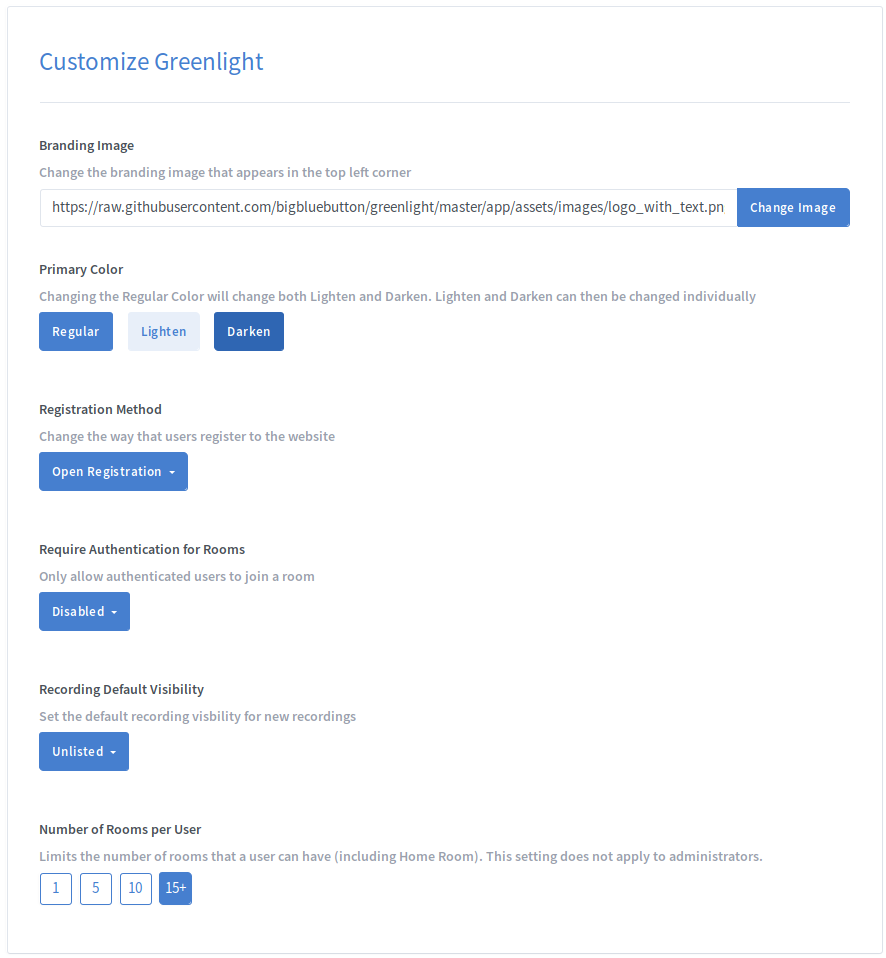
The Site Settings section allows administrators to customize the appearance and behavior of Greenlight.
Branding Image
Replace the default Greenlight branding image by entering the URL of your custom image and clicking Change Image.

Legal URL
The Legal URL appears in the footer of Greenlight and can be customized or removed entirely.

Privacy Policy URL
The Privacy Policy URL displayed in the footer can be customized or removed.
